
![High School Report Card Template [Printable PDF Included]](https://thehighschooler.net/wp-content/uploads/2026/10/high-school-report-card-templates.jpg)
Report cards shouldn’t take longer to make than the grades take to enter. If you’re a teacher, a school admin, or a parent who needs a clean one for homeschooling, a ready-made template saves you the hassle of drawing tables and fixing alignment.
Below you’ll find three printable high school report card templates in PDF format. One is a simple black-and-white grid, one has a comments column for each subject, and one includes a grade scale, attendance record, and signature lines. Pick the one that fits, print it, and fill it in by hand.
What’s inside the template
All three designs cover the basics of a high school report card, but each is laid out a little differently.
Design 1: The simple black-and-white grid
This is a blank layout you label yourself, which makes it flexible and easy on the printer. It has:
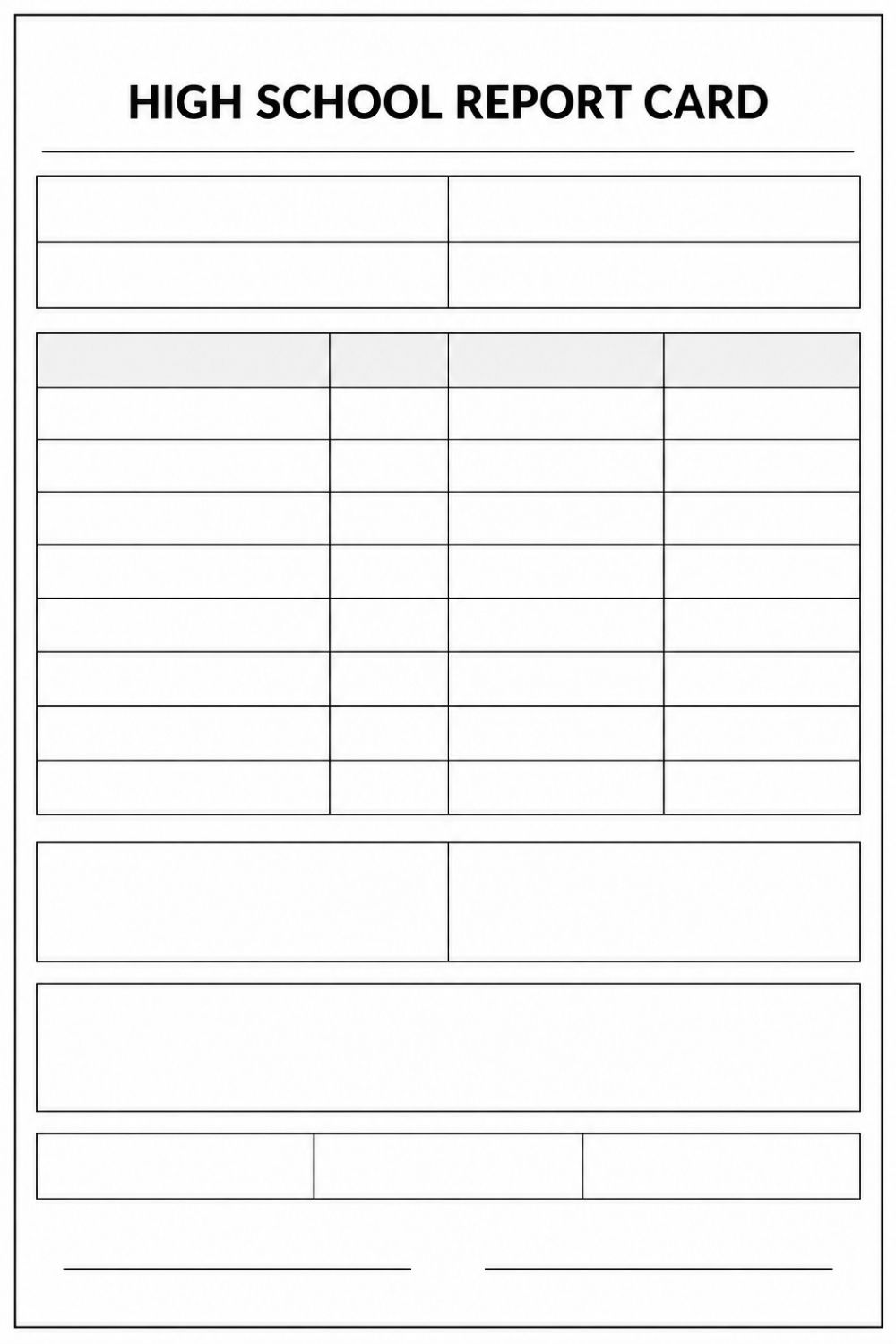
- A title at the top and a four-box block for student details (name, ID, grade, year, or whatever you choose).
- A subject table with a shaded header row and eight empty rows, so you can write in your own subjects, grades, and remarks.
- Two side-by-side boxes, handy for credits and GPA.
- A wide box for teacher comments.
- A row of three small boxes, which works well for attendance (days present, days absent, tardies).
- Two signature lines at the bottom.
Design 2: The blue header with comments
This one comes pre-labeled and is built around feedback on each subject. It has:
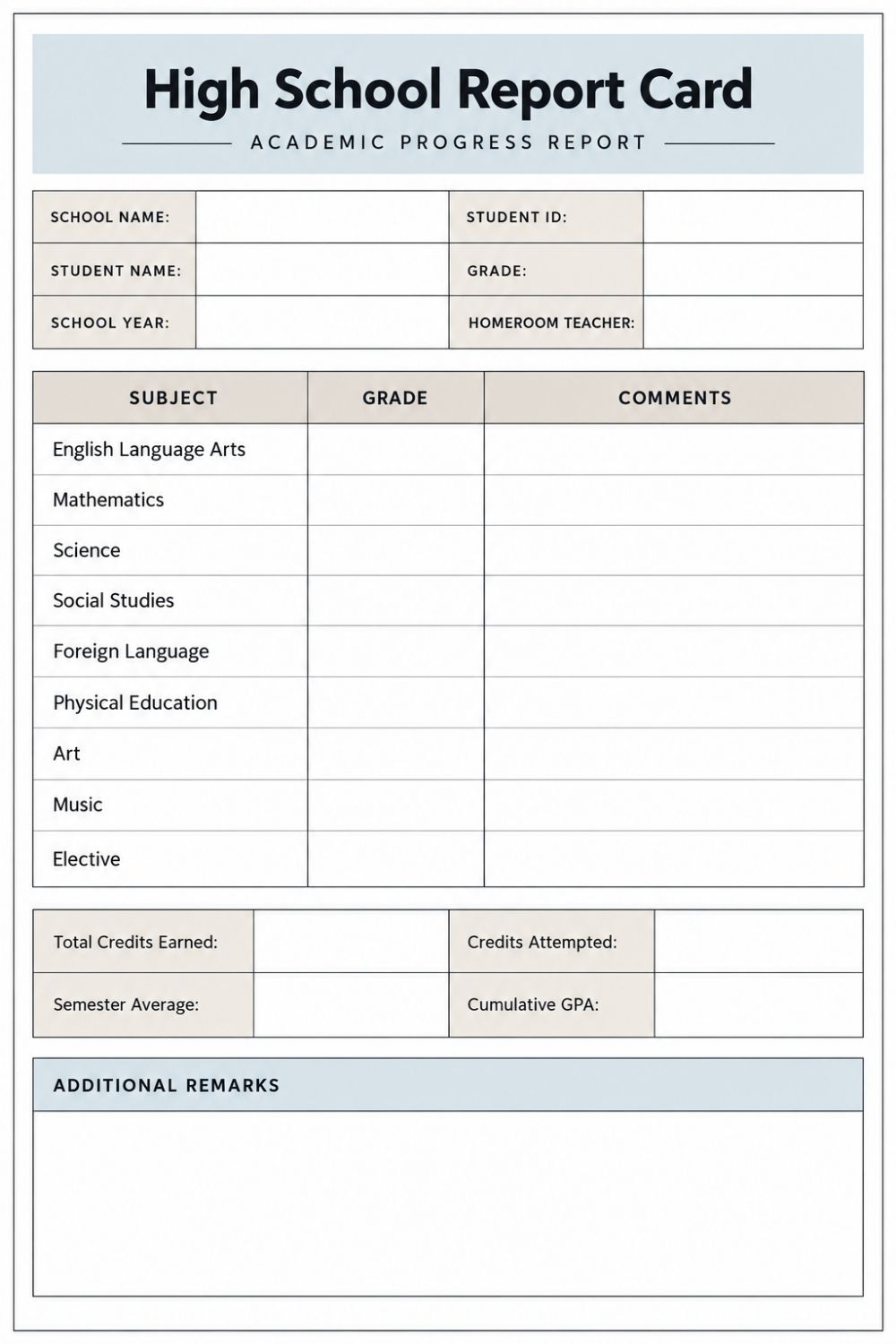
- A header block with school name, student name, school year, student ID, grade, and homeroom teacher.
- A table with Subject, Grade, and Comments columns. The subjects are English Language Arts, Mathematics, Science, Social Studies, Foreign Language, Physical Education, Art, Music, and an Elective.
- A credits box with Total Credits Earned, Credits Attempted, Semester Average, and Cumulative GPA, so you can see whether a student is on track for graduation. Parents can also use this high school graduation checklist for parents to plan the final year.
- An Additional Remarks box at the bottom for anything that doesn’t fit in the table.
Design 3: The cream and green full report
This is the most complete version, with everything on one page. It has:
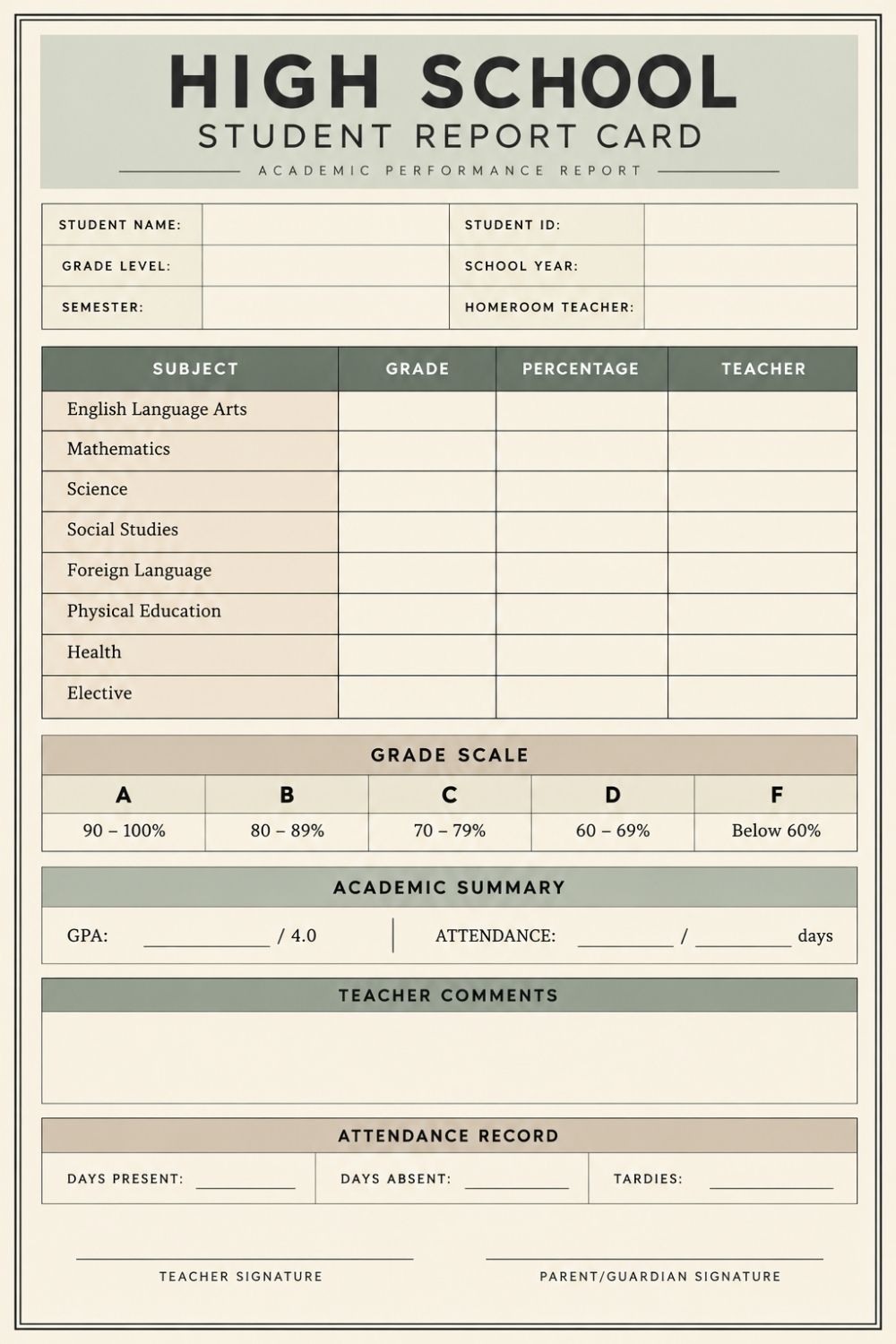
- A header block with student name, ID, grade level, school year, semester, and homeroom teacher.
- A table with Subject, Grade, Percentage, and Teacher columns. The subjects are English Language Arts, Mathematics, Science, Social Studies, Foreign Language, Physical Education, Health, and an Elective.
- A grade scale (A is 90–100%, B is 80–89%, C is 70–79%, D is 60–69%, and F is below 60%), so parents know what each grade means.
- An Academic Summary with GPA out of 4.0 and days attended.
- A Teacher Comments box.
- An Attendance Record with days present, days absent, and tardies.
- Teacher and parent/guardian signature lines.
If a parent needs the full picture, use Design 3. If teachers want to write a note for each subject, use Design 2. If your school has its own subjects and layout, Design 1 gives you a blank frame to work from.
How to fill it out by hand
Use a blue or black pen so it photocopies clearly. Here’s the order that works best.
1. Fill in the student details.
Add the student’s name, ID, grade level, school year, and homeroom teacher. If you’re using Design 3, don’t forget the semester.
2. Write in the subjects (blank grid only).
Design 1 has eight empty rows, so write one subject per row, such as English, Mathematics, Science, Social Studies, a second language, and PE. Designs 2 and 3 already list subjects, but you can still use the blank “Elective” row for your school’s own subject, like Computer Science, Economics, or Home Science. If a subject doesn’t apply, cross it out or write “N/A” so the row isn’t left blank.
3. Enter grades and percentages.
Put the letter grade in the Grade column and the score in the Percentage column, for example B / 84%. Check the grade scale on Design 3 (A is 90–100%, B is 80–89%, C is 70–79%, D is 60–69%, F is below 60%) so the letter matches the number.
4. Calculate the GPA.
On a 4.0 scale, give each grade points (A = 4, B = 3, C = 2, D = 1, F = 0), add up the points for all subjects, and divide by the number of subjects.
Example: A, B, B, C, A, B gives 4 + 3 + 3 + 2 + 4 + 3 = 19. Divided by 6 subjects, that’s a GPA of 3.17. If your school weights subjects by credits, multiply each grade’s points by its credit value before adding, and divide by total credits instead.
5. Add the attendance record.
Count days present, days absent, and tardies from the attendance register and write them in the boxes.
6. Write short, specific comments.
Skip vague lines like “good student.” Mention one strength and one next step. For example:
- “Mayra participates well in class discussions. Submitting homework on time would raise her grade from a B to an A.”
- “Andy’s lab reports are detailed and well organized. He should revise earlier chapters before tests.”
Want students to turn that “next step” into something they can measure? Pair the report card with this printable SMART goals worksheet.
7. Sign and date.
Have the teacher sign first, then the parent or guardian, on the lines at the bottom.
Printing tips
A few quick settings will keep your report card looking sharp on paper.
Pick the right paper size.
The templates are portrait pages, so use A4 if you’re in India, the UK, or most of the world, and US Letter in the US and Canada. If your printer is set to the wrong size, the borders can get cut off.
Print at “Actual size.”
In the print dialog, choose Actual size or 100%. “Fit to page” or “Shrink to fit” can make the boxes smaller and leave the page with uneven margins. If the border gets clipped, try a small scale like 95% instead.
Check the preview first.
Make sure the page border and the bottom signature lines are fully visible before you hit print.
Use plain white paper at 80 to 100 gsm.
It’s thick enough that ink won’t bleed through, and it photocopies well. For the final copy that goes home, a slightly heavier sheet feels more official.
Save ink with Design 1.
The black-and-white grid is the cheapest to print in bulk. For Designs 2 and 3, the colored headers look best in color but still read fine in grayscale.
Leave room for signatures.
Don’t fill the teacher comments box to the edge. Keep the space above the signature lines clear so the teacher and parent or guardian have room to sign and date.
Wrapping up,
That’s everything you need to put together a high school report card without the hassle. Pick the design that fits your school, print it at actual size, fill it in by hand, and you’re done in a few minutes.
Once the grades are in, freshmen can use them to start building their first resume with this printable freshman resume template.
If you have the printable PDFs saved, you can download them below and print as many copies as you need.
If this helped, share it with a fellow teacher or parent who could use it, and check back for more printable school templates.

An Engineer, Maths expert, Online Tutor, and animal rights activist. I have more than 5 years of teaching experience and have worked closely with students with learning disorders. I have worked with special educators, counselors, and experts in dealing with common issues that students face during their academic journey.